We are happy to announce the launch of new functionality to allow organizational administrators to give edit privileges for knowledge tracks to admins at any level in their organization.
Prior to this launch, permissions to edit Knowledge Tracks were restricted to the admins higher up in the organization hierarchy as well as the Knowledge Track creator. We know that learning agendas for organizations are frequently set at higher levels within organizations and the day-to-day management of the Knowledge Tracks falls to others further down the hierarchy.
With this launch, any organizational admin in the hierarchy can be given permissions to edit Knowledge Tracks. This can be done at individual levels or multiple levels at once!
How Does It Work?
To get there, log in as a Knowledge Track administrator then:
- Click on "My Practice" in the top left-hand of the menu.
- Select Knowledge Tracks.
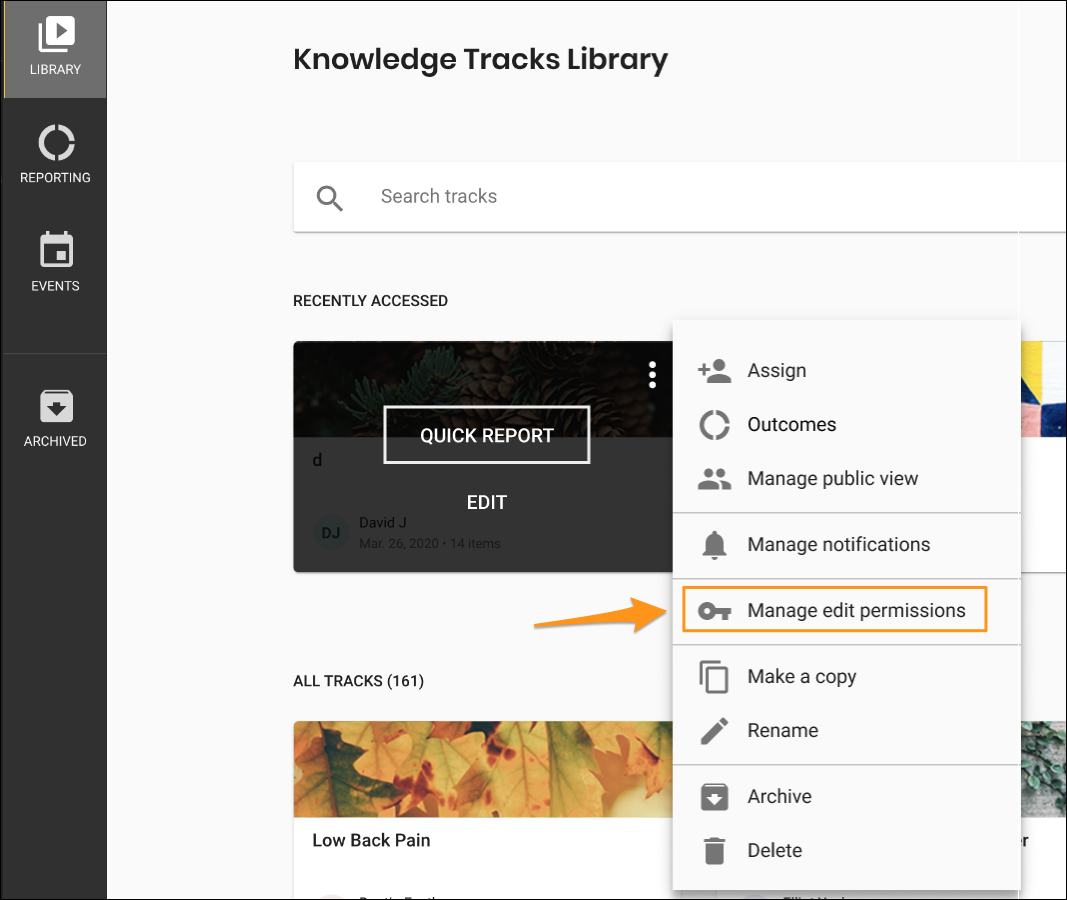
- Click the 3-dot menu on the Track's card and you should see the new Manage edit permissions option (see screenshot).
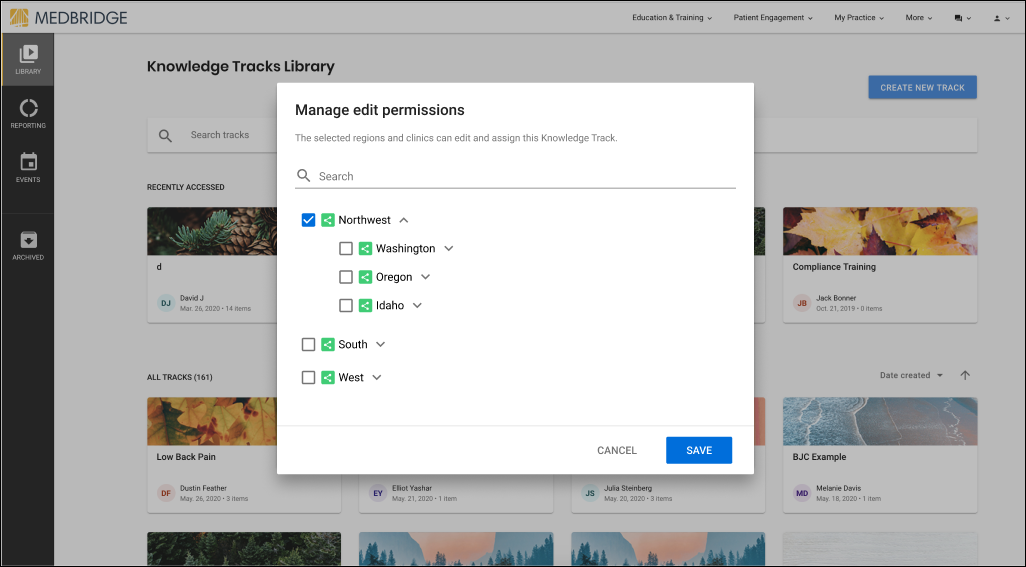
A pop-up will appear with the hierarchy tree. In the next screenshot you can see that you will be able to choose permissions based on region, office, etc. You can select them all or drill down into each one to give more granular permissions.
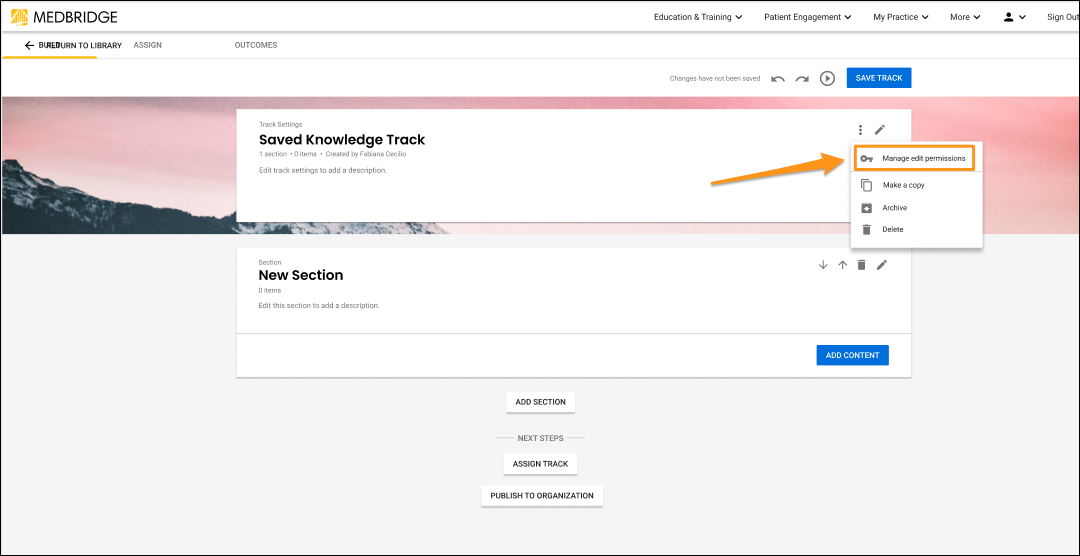
The hierarchy modal is also accessible from the 3-dot menu in the Track's title card while in edit mode.